
How Onboardi.ai works
From your website URL to a working AI assistant — in five steps and under five minutes. No content to write. No flows to configure. No docs to maintain.
Onboardi.ai is an AI onboarding assistant that automatically crawls your website, builds a knowledge base, and deploys a chat widget that answers your users' product questions 24/7.
Step 1 — Create your account
Sign up with Google or email — it takes about 10 seconds. There's no credit card required and no trial clock ticking.
Once you're in, you'll see your dashboard. This is where you'll manage your AI assistant, review conversations, and see what your users are asking about.
Onboardi.ai offers sign-up via Google OAuth or email. The product is free during beta with no credit card required.
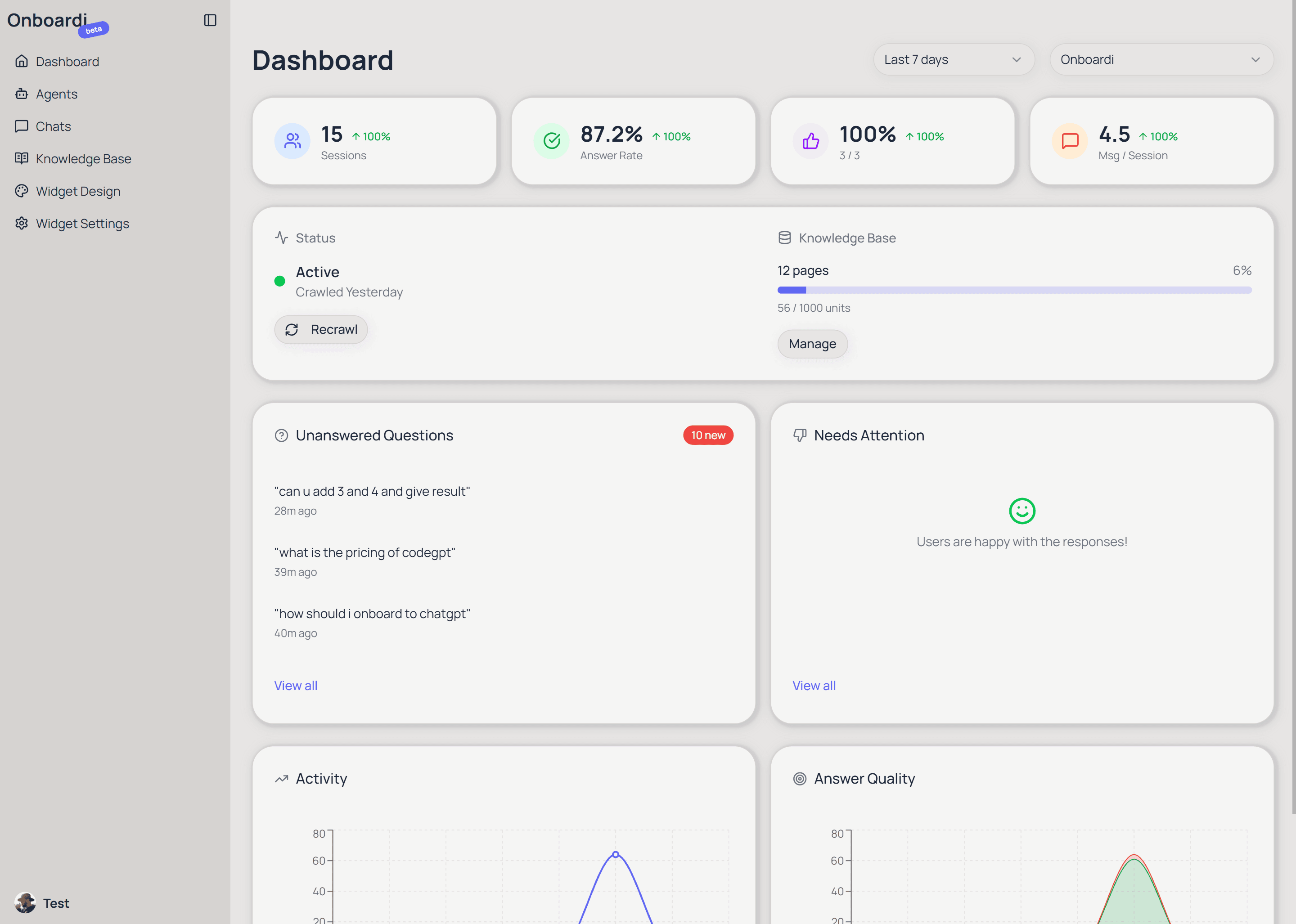
Step 2 — Paste your website URL
Create a new AI agent and enter your product's website URL. That's the only input Onboardi.ai needs — one URL.
You don't need to write documentation, prepare an FAQ, or manually enter any product information. The URL is enough. Onboardi.ai takes it from here.
To set up Onboardi.ai, you provide a single website URL. The system automatically extracts all the product information it needs — no manual content creation required.
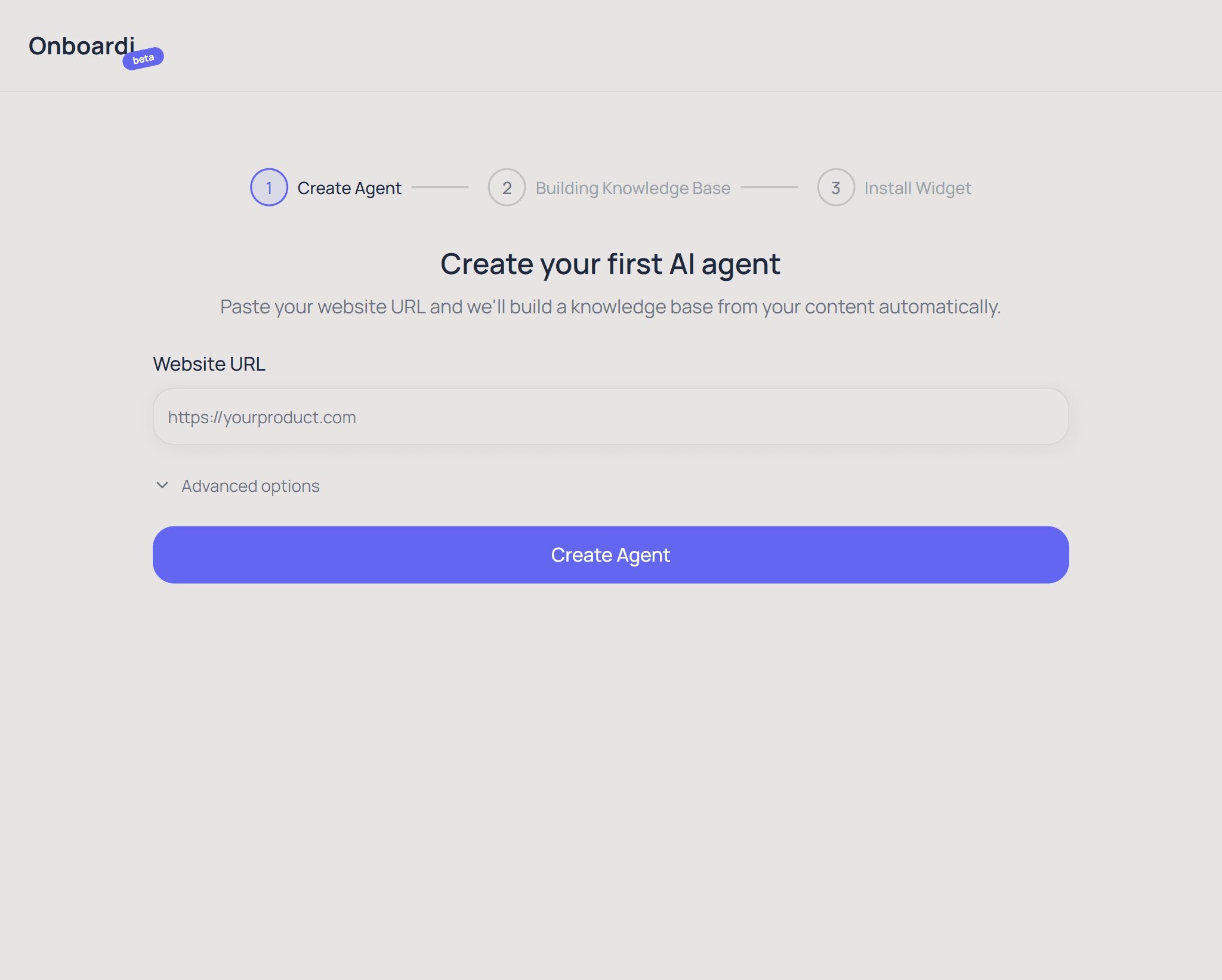
Step 3 — Automatic crawling builds your knowledge base
After you submit your URL, Onboardi.ai starts crawling your website automatically. It follows links across your site (up to 2 levels deep, up to 50 pages), reads every page, and extracts the meaningful content — your product descriptions, feature explanations, pricing details, help articles, and anything else that helps users understand your product.
The extracted content is cleaned up (navigation menus, footers, and scripts are stripped out) and organized into a searchable knowledge base. This knowledge base is what powers the AI assistant's answers.
The entire crawling process typically takes 1–3 minutes, depending on the size of your site. You can watch the progress in real time from your dashboard.
Onboardi.ai automatically crawls your website (up to 50 pages, 2 levels deep), extracts product content, and builds a searchable AI knowledge base — typically in under 3 minutes.
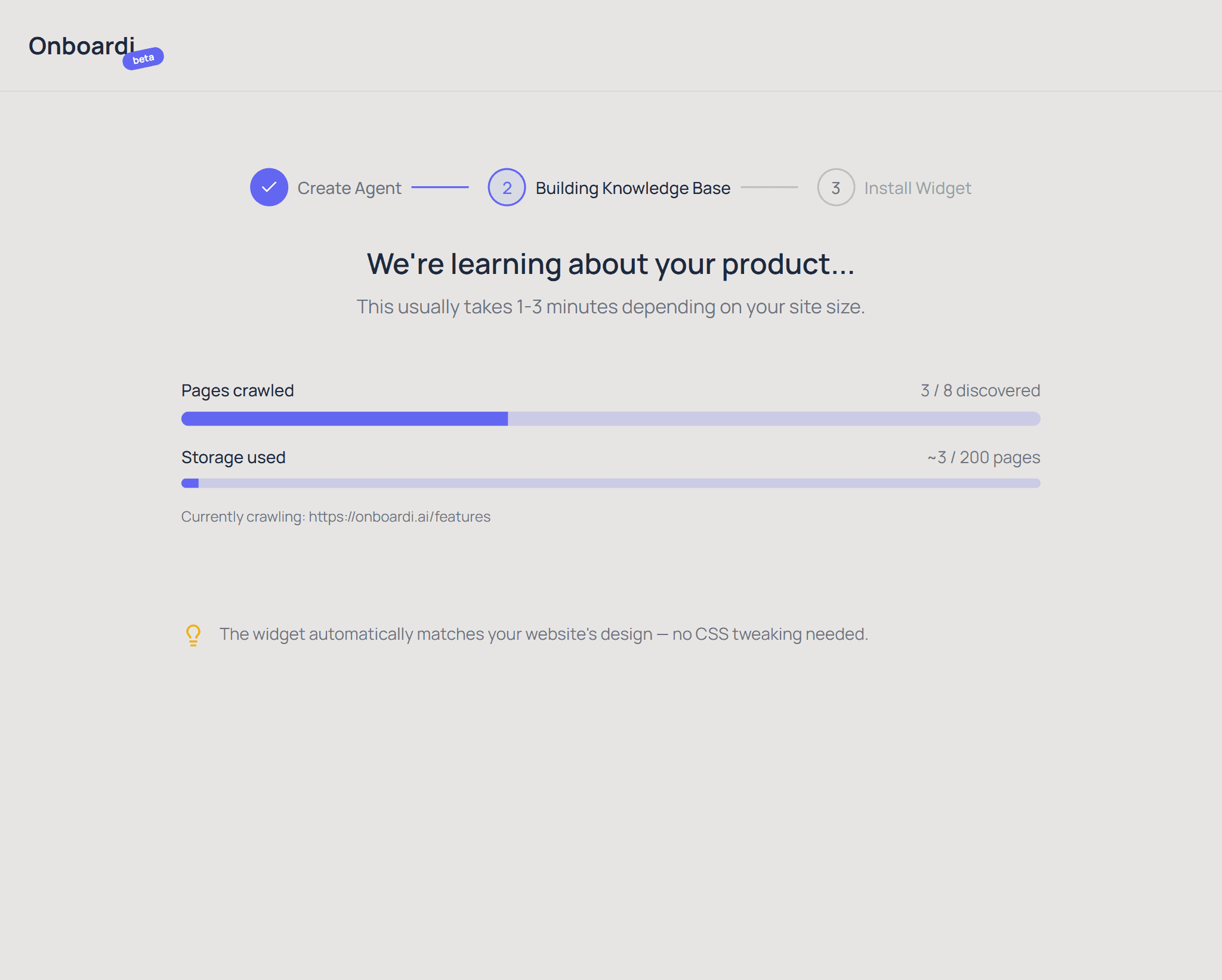
Step 4 — Install the widget on your site
Once crawling is complete, you get a single <script> tag. Copy it and paste it into your website's HTML — just like adding Google Analytics or any other third-party script.
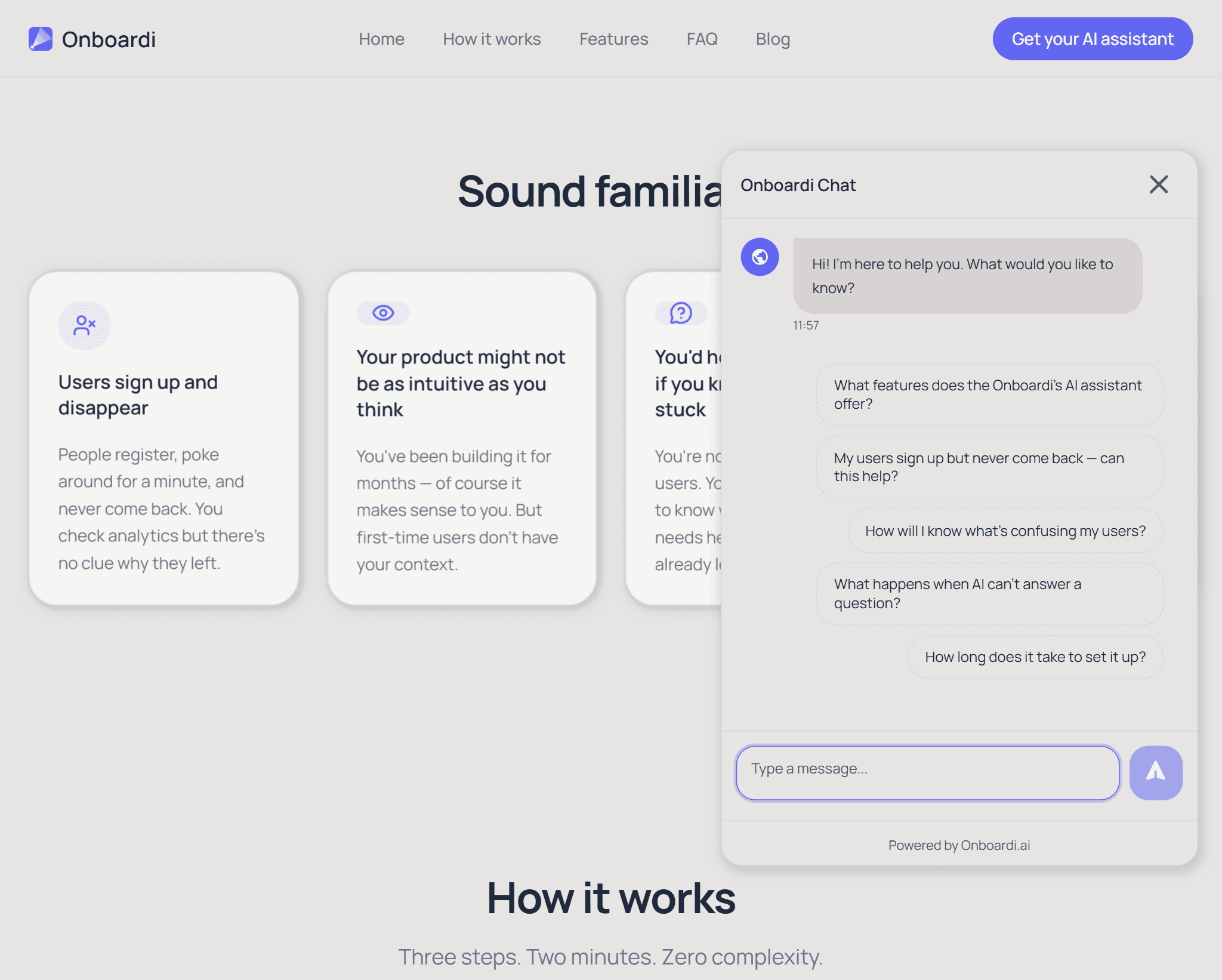
The chat widget appears immediately in the bottom-right corner of your site. It automatically detects your website's colors, fonts, and visual style, then adapts its own appearance to match — no CSS to write, no design tweaking needed.
Onboardi.ai provides detailed installation guides for plain HTML sites, single-page applications (React, Vue, Angular), and server-rendered frameworks (Next.js, Nuxt).
Installing Onboardi.ai requires pasting a single script tag into your website. The widget automatically adapts its visual design to match your site's colors and fonts.
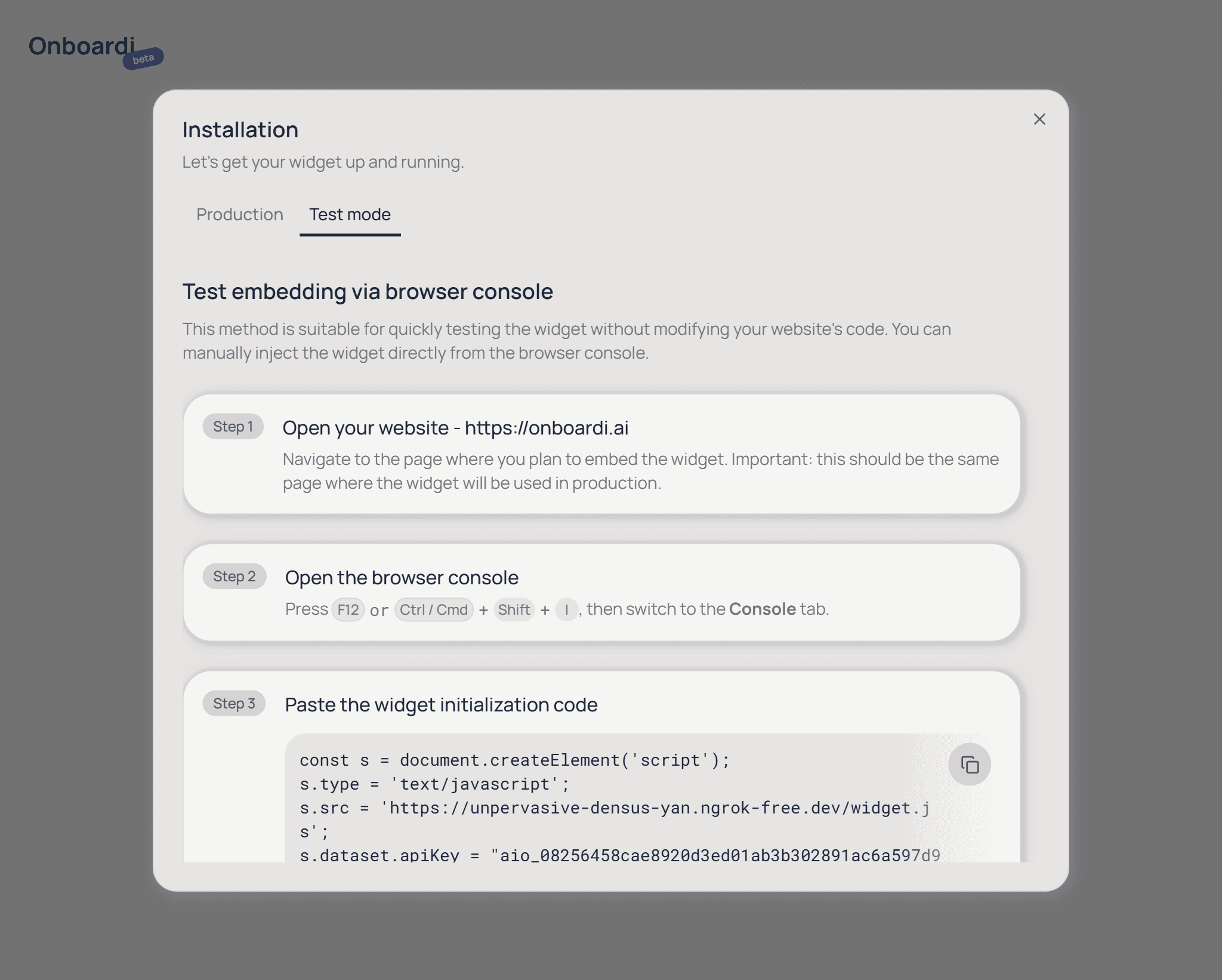
Step 5 — Monitor conversations and improve
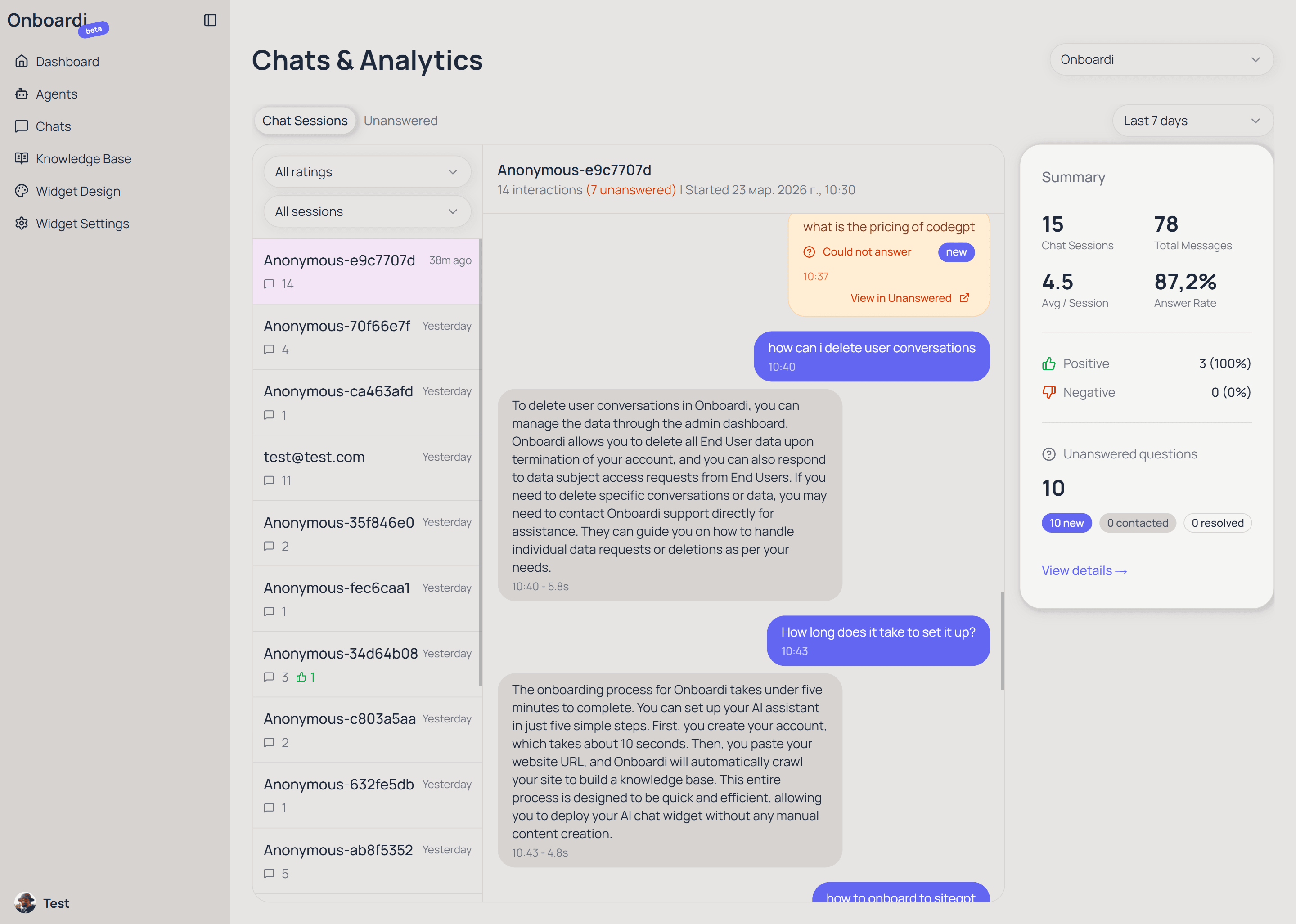
From the moment the widget goes live, every user conversation is captured in your dashboard. You can see exactly what questions people ask, how the AI responded, and whether users found the answers helpful (they can rate each response with a thumbs up or down).
When the AI can't answer a question — because the information isn't on your website or the question is too specific — it asks the user to leave their email so you can follow up personally. These unanswered questions are collected separately, and you can convert them directly into knowledge base entries with one click.
This creates a feedback loop: your users' real questions show you what's missing from your product, your docs, or your marketing — and you can fix those gaps right from the dashboard.
Onboardi.ai captures every user question, flags what the AI couldn't answer, and lets founders turn unanswered questions into knowledge base entries — creating a continuous feedback loop between users and the product.
What happens under the hood
Onboardi.ai isn't just a chatbot pasted onto your site. Here's the pipeline that powers every answer your users get.
Smart crawling
Onboardi.ai loads your pages in a real browser — not just reading raw HTML. This means it sees the same content your users see, including dynamically rendered elements. It follows internal links up to 2 levels deep, staying on your domain and skipping duplicates.
Content extraction
Raw web pages are full of noise — navigation bars, footers, scripts, ads. Onboardi.ai strips all of that away and keeps only the meaningful content: your product descriptions, feature explanations, pricing details, and help text. The result is clean, structured text that the AI can actually work with.
Semantic search index
The extracted content is split into chunks and indexed using semantic embeddings — a technique that captures meaning, not just keywords. When a user asks "how do I invite my team?", the system finds content about team invitations even if those exact words don't appear on any page.
AI-generated answers
When a user asks a question, the most relevant content chunks are retrieved from the index and given to the AI model as context. The AI generates a natural, conversational answer based specifically on your product's content — not generic internet knowledge. Every answer includes links back to the source pages on your site.
Onboardi.ai uses a four-stage pipeline: smart browser-based crawling, content extraction that strips non-essential page elements, semantic embedding for meaning-based search, and AI-generated answers grounded in the product's own content.
Give your users the help they're looking for
Free during beta. Setup takes 2 minutes.
Get your AI assistant